
Summary
Editor's rating
Is the XPLORE 12 worth the money?
Big bright screen, good controls… but it takes up space
Build quality, weather resistance, and long-term feel
Sonar, GPS, and mapping: how it actually runs on the water
What you actually get in the box and what it’s built to do
Does it actually help you find and catch more fish?
Pros
- Bright 12.1-inch HD screen that stays readable in full sun and handles split views well
- Strong MEGA Side Imaging+ and Down Imaging+ with clear structure detail and good target separation
- User-friendly interface with both touchscreen and keypad, plus fast overall performance and AutoChart Live mapping
Cons
- Included coastal maps are incomplete in some regions, pushing you toward expensive premium chart upgrades
- Strict NMEA 2000 focus means older sensors and NMEA 0183 gear are not directly compatible

Specifications
View full product page →| Brand | Humminbird |
Serious sonar upgrade for people who actually fish a lot
I’ve been running the Humminbird XPLORE 12 (the 12-inch MEGA Side Imaging+ model with the included transducer) for a bit now, upgrading from an older 9-inch unit that was roughly ten years old. So I’m not coming at this from theory; I bolted it to the boat, wired it, swore at it a little, and actually used it on the water. Overall, my first reaction was pretty simple: this thing is a big step up in screen, speed, and interface, but it’s not perfect, especially when you start digging into charts and compatibility.
The main feeling after the first few trips was, “Okay, this is finally modern.” The touchscreen, the menus, the way you can build custom views – all of that feels like going from an old flip phone to a halfway decent smartphone. I didn’t need to sit with the manual for hours, which I appreciate. I just poked around, made a few mistakes, and then it started to make sense.
Where it gets a bit less fun is when you hit the fine print: the coastal maps that come in the box are limited in some areas, you’re locked into NMEA 2000 for networking, and some older accessories you might own just won’t talk to it. Also, microSD cards are tiny and annoying if, like me, your fingers aren’t surgical tools. None of this kills the product, but it’s the kind of stuff you only notice after you’ve already spent the money and started rigging.
So if you’re thinking about this unit, picture it like this: top-tier sonar and display, very usable interface, good networking, but budget extra for better charts if you fish certain coasts and be ready to leave older NMEA 0183 gear behind. That’s the mindset you need going in.
Is the XPLORE 12 worth the money?
Talking value, this is where it gets a bit gray. The XPLORE 12 is not cheap, and by the time you add mounts, wiring, maybe a premium chart card, and any networking pieces (NMEA 2000 backbone, extra sensors, etc.), you’re into serious money. For that price, you do get a big, bright screen, strong MEGA imaging, solid GPS, and good networking. For someone who fishes a lot and actually uses Side Imaging, AutoChart, and boat control features, it starts to feel justifiable. For a casual weekend angler who mainly wants depth and a basic map, it’s probably overkill.
Where the value takes a hit is the mapping situation. Yes, they include LakeMaster and CoastMaster VX maps, which sound generous. In practice, if you fish lakes in the US or Canada that are well covered, you’re good. But if you’re in a coastal zone that’s poorly mapped on that chip, you basically paid for something you can’t really use, and then you’re told to buy a premium chart for several hundred dollars more. That stings. One Amazon reviewer called out a $599 premium chart, and I agree: for what you’re already paying for the unit, that feels steep.
On the plus side, the One-Boat Network angle can save money if you’re already in the Humminbird/Minn Kota ecosystem. Being able to control your trolling motor, share waypoints, and use i-Pilot Link with the same head unit is convenient and means you’re not buying redundant gear from multiple brands. But if you’re starting from scratch or coming from another brand, it’s another reason this can turn into a pricey rabbit hole.
So I’d rate the value as pretty solid for serious, tech-friendly anglers, especially those already running Minn Kota gear, and just “okay” for everyone else. You’re paying for a lot of features, and the core sonar and display absolutely deliver, but the extra cost of full chart coverage and the lock-in to NMEA 2000 make it less of a simple no-brainer. If you’re on a tighter budget or fish smaller waters, a smaller Helix or a competitor’s 9-inch unit might give you 80% of the benefit for a lot less money.
Big bright screen, good controls… but it takes up space
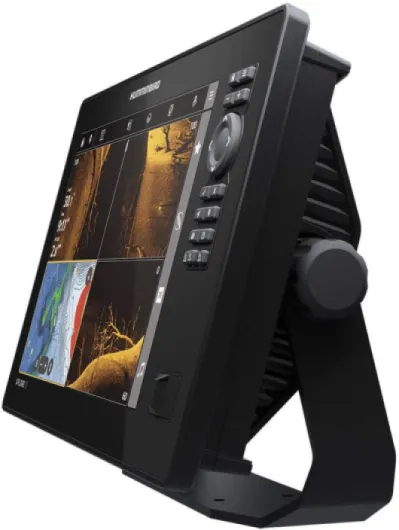
Design-wise, the first thing that hits you is the size of the screen. A 12.1-inch display on a console that used to have a 7 or 9-inch unit looks huge, in a good way. The resolution is 1280 x 720, and in real use it’s plenty sharp and very bright, even in full sun. I fish in pretty harsh daylight, and I didn’t have to stare or shade the screen with my hand to see side imaging details or chart lines. That’s a big upgrade from my old unit, where mid-day glare made everything look washed out.
The combo of touchscreen plus physical keypad is actually quite practical. You can tap around like a phone when the water is calm, then switch to the buttons and wheel when it’s choppy and your fingers are wet. I found myself using touch for setting waypoints, rearranging views, and typing names (so much faster than scrolling letters), and then using buttons for zoom and quick menu changes while running. That mix is one of the better parts of the design for real-world use.
The downside of a 12-inch screen is space and mounting. On a bigger center console or a wide bass boat console, it’s fine. On a smaller boat, it can feel like a TV bolted to the dash. The included mounting bracket is solid enough, but if your console is already crowded, you’ll probably be moving stuff or drilling new holes. Also, with the unit weighing around 6.3 pounds, you want that bracket tight and backed properly so it doesn’t wobble in chop.
Overall, I’d call the design practical and focused on usability more than looks. It’s not pretty or slim; it’s a black box with a big screen and chunky buttons. But the layout makes sense, the screen is genuinely easy to read, and the dual-control setup is a real plus. Just be ready to dedicate some real dashboard space to it and spend a bit of time routing cables cleanly so your helm doesn’t look like a science project.
Build quality, weather resistance, and long-term feel
In terms of build quality, the XPLORE 12 feels solid enough for a unit in this price range. The housing is plastic, obviously, but it doesn’t feel flimsy. The buttons have a firm click, the touchscreen hasn’t shown any weird dead spots or ghost touches, and the included cover fits snugly, which is nice if your boat sits outside and bakes in the sun. I’ve run through rain, spray, and some decent chop, and so far there’s been no moisture inside the screen or random reboots.
The mounting bracket is okay, but like most factory brackets, it’s only as good as how you install it. With a 12-inch unit that weighs over six pounds, I wouldn’t just screw it into thin fiberglass and call it a day. I backed mine properly, tightened everything down, and I still give it a quick check every few trips. It hasn’t loosened up, and the unit doesn’t bounce around excessively in rough water, so I’d say it’s holding up fine. If you run really hard offshore or in constant chop, you might eventually look at a beefier aftermarket mount, but for typical freshwater and inshore use, the included bracket is serviceable.
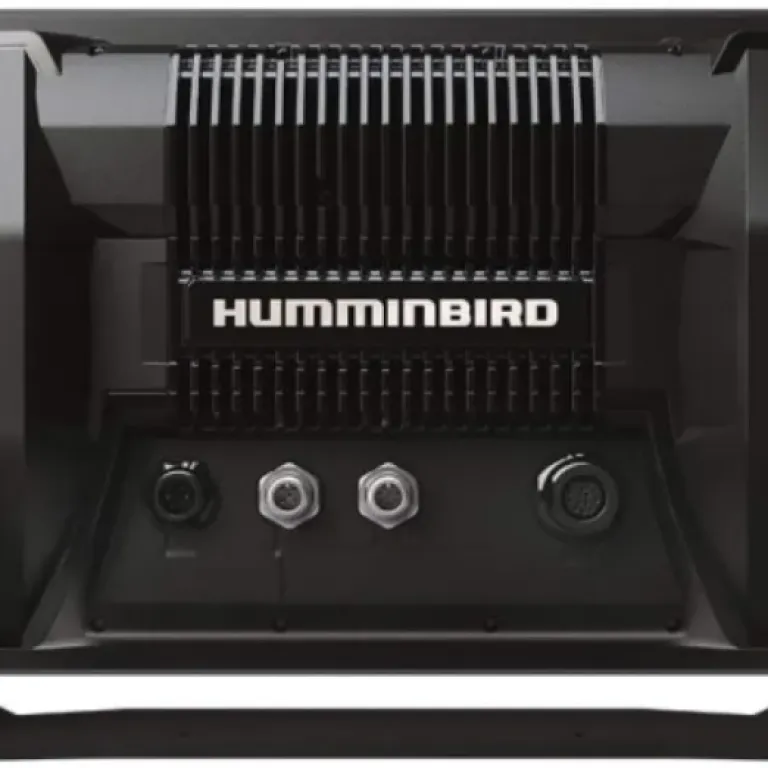
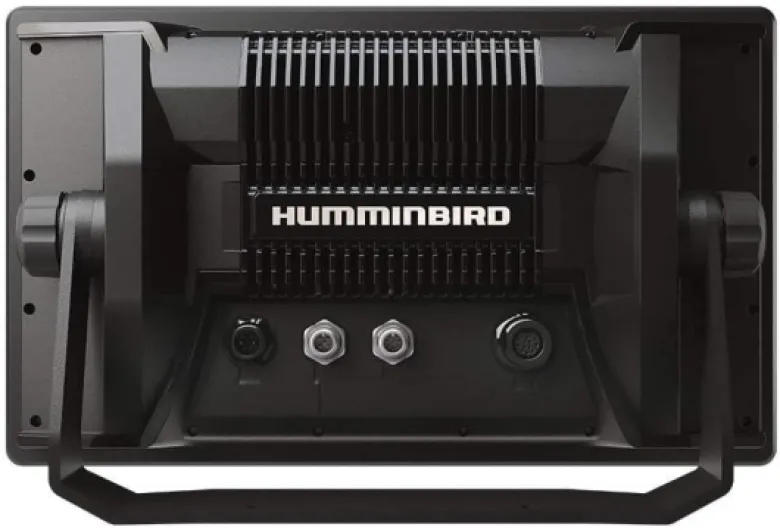
On the connectors and cables, they’re standard Humminbird: twist-lock style, fairly secure. Just make sure you route them so they’re not bent too sharply or hanging where people can kick them. I’ve unplugged and replugged the transducer and power cables a few times while rearranging the console, and they still seat firmly. The microSD slot is inside, behind a rubber cover. It keeps water out, but swapping cards on the water is annoying if you have big fingers and waves are bouncing you around.
Long term, Humminbird units have a mixed reputation depending on who you ask, but this XPLORE feels like a modern, well-built head unit. It’s not bulletproof, and electronics on boats always fail eventually, but there’s nothing in the build that screams “cheap” or “temporary.” As long as you mount it correctly, use the cover, and don’t abuse the connectors, I’d expect it to last several seasons of regular use without drama. Just keep in mind that if something does go wrong out of warranty, big-screen units are expensive to repair or replace, so treat it like the pricey electronics it is.
Sonar, GPS, and mapping: how it actually runs on the water
On the water, the sonar performance is the strong point. MEGA Side Imaging+ and MEGA Down Imaging+ are very clear, especially compared to older non-MEGA or low-frequency units. On my first trip, I ran a shoreline I know well, and I could easily pick out brush piles, rock transitions, and even small changes in bottom hardness that my old unit basically smeared into one blob. Side Imaging out to around 100–150 feet per side still looked crisp enough to spot structure and sometimes even fish shadows. Pushing all the way to 200 feet per side is usable, but like most units, you lose some detail.
The Dual Spectrum CHIRP in wide and narrow modes works fine for basic fish finding. In narrow mode, I could separate fish holding just off the bottom better than before, and jigging directly under the boat was easy to track. Wide mode is nice when you’re just searching and don’t care as much about tight separation. Is it miles ahead of every competitor? Not really. But it’s clearly in the top bracket of consumer-level fish finders right now and easily good enough for both casual and serious anglers.
GPS and mapping are generally solid, but this is where the cracks show. Built-in Basemap plus the included LakeMaster/CoastMaster VX card were totally fine on the lakes I fish. Depth contours matched what I expected, navigation was straightforward, and AutoChart Live started filling gaps as I drove. But along certain coastal stretches (like the Gulf coast areas mentioned in the user review – North Tampa to Tallahassee), the included coastal data can be very thin: basically shoreline and markers, with no real depth detail. If you fish one of those areas, the included coastal chip feels half-baked, and Humminbird’s answer is basically “buy the premium charts”, which are not cheap.
Speed-wise, the unit is snappy. Switching screens, loading charts, zooming, and redrawing side imaging all felt fast. It’s a clear difference compared to older Humminbird Helix units. Networking over Ethernet and NMEA 2000 also worked fine once set up, but keep in mind: it’s NMEA 2000 only. If you’ve got older 0183 sensors or heading units, they won’t talk directly, and you’ll need converters or new gear. So performance is strong overall, but the mapping coverage and compatibility limits are where people will either shrug and accept it or start grumbling.
What you actually get in the box and what it’s built to do
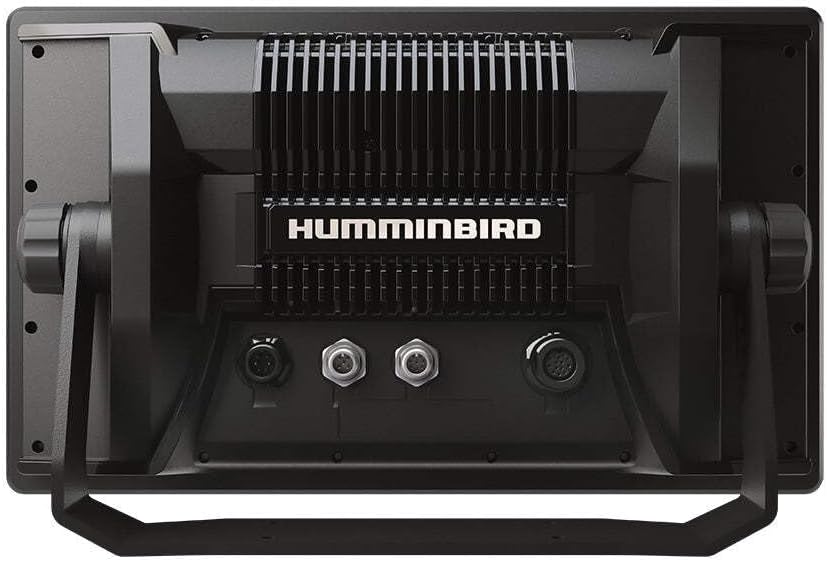
The XPLORE 12 is basically Humminbird’s big-screen, all-in-one brain for the boat. On paper, it’s loaded: 12.1-inch HD color TFT display (1280 x 720), MEGA Side Imaging+ out to about 200 feet on each side, MEGA Down Imaging+ to 200 feet down, and Dual Spectrum CHIRP for standard sonar. It also has built-in GPS with Humminbird Basemap, plus they throw in a LakeMaster/CoastMaster VX map card for US and Canada. It runs off 12V (corded electric), weighs a bit over 6 pounds, and comes with a transom-mount transducer, power cable, bracket, and unit cover.
On the networking side, the unit supports Ethernet, Bluetooth, and NMEA 2000, and it’s part of the “One-Boat Network” idea. In practice, that means if you already have Minn Kota i-Pilot Link trolling motors or Cannon gear, or you plan to, this head unit can talk to them and do stuff like follow depth contours, control spot-lock, and share data between multiple Humminbird units. If you’re running an older, mixed-brand setup or NMEA 0183 gear, that’s where you start to feel the friction.
The other big feature is AutoChart Live, which lets you map your own lake as you drive around. It tracks depth contours, vegetation, and bottom hardness in real time. You get around eight hours of recording on the unit itself, and if you want more, you plug in a Zero Line SD card and basically get as much as you want. That’s a big deal if you fish smaller, poorly mapped lakes or off-the-grid spots where the standard charts are just a blank blob.
So on paper, it’s built as a full fishing hub: sonar, GPS, mapping, networking, and boat control, not just a simple depth finder. The catch is that to unlock all of it (especially charts and networking), you may end up buying extra cards and accessories. Out of the box, though, it’s already a capable sonar and mapping unit for a lot of freshwater situations, just less so for certain coastal areas without an upgrade.
Does it actually help you find and catch more fish?
From a practical “does this help me fish better” angle, I’d say yes, but with some conditions. The jump from a smaller, older unit to this XPLORE 12 made it a lot easier for me to read structure and stay on productive areas. The bigger screen means I can run split views – for example, Side Imaging + Down Imaging + chart – and still read each panel without squinting. That alone made it easier to line up passes over offshore brush and rock. I didn’t suddenly double my catch, but I did spend less time guessing where I was relative to the structure.
AutoChart Live is one of the most useful real-world features. On a lake with weak or outdated mapping, just idling around and letting it draw contours gave me a much better picture of humps, channels, and shallow flats. After a few trips, I had custom maps that matched what I saw on sonar, and I could return to small subtle spots consistently. The eight hours of internal recording is enough to get started, and if you’re serious, dropping a Zero Line card in expands that massively. Just remember: you might have to insert the card after the unit is booted for it to recognize it, which is one of those annoying little quirks the manual doesn’t spell out well.
Where the effectiveness drops depends on your location and existing gear. If you fish a coastal area that’s poorly covered by the included CoastMaster data, the unit itself is still strong, but the out-of-the-box usefulness drops because you’re either running blind on depth or you’re forced to keep using an older Navionics card or pay for premium charts. Also, if your heading sensor or other instruments are older and non-NMEA 2000, the unit won’t integrate them, which means you lose some of the nice overlay and networking tricks.
So in terms of pure fishing help, I’d rate it pretty high. The sonar clarity, screen size, and AutoChart tools absolutely make life easier on the water and reduce guesswork. Just don’t expect miracles if your charts are poor and you’re not willing to invest in better mapping or new sensors. It’s a strong tool, but like any tool, it depends a lot on how and where you use it.
Pros
- Bright 12.1-inch HD screen that stays readable in full sun and handles split views well
- Strong MEGA Side Imaging+ and Down Imaging+ with clear structure detail and good target separation
- User-friendly interface with both touchscreen and keypad, plus fast overall performance and AutoChart Live mapping
Cons
- Included coastal maps are incomplete in some regions, pushing you toward expensive premium chart upgrades
- Strict NMEA 2000 focus means older sensors and NMEA 0183 gear are not directly compatible
Conclusion
Editor's rating
Overall, the Humminbird XPLORE 12 is a strong, modern fish finder with a genuinely useful 12-inch screen, clear MEGA Side/Down Imaging, and a user-friendly interface. The mix of touchscreen and physical buttons works well in real conditions, and the unit feels fast and responsive. Features like AutoChart Live and the One-Boat Network integration make it especially appealing if you fish often, like to dial in your own maps, and already own or plan to own Minn Kota gear.
On the downside, the out-of-the-box mapping story is uneven, especially for some coastal areas where the included CoastMaster data is thin. If you’re in one of those regions, expect to either reuse older Navionics cards or pay extra for premium charts. The strict focus on NMEA 2000 also means older heading sensors and instruments may not work without extra hardware or upgrades. Add in the overall price of a 12-inch unit, and this starts to look more like a tool for serious or tournament-minded anglers than a casual weekend toy.
If you want a big, bright screen, strong imaging, and tight integration with modern trolling motors, and you’re okay with spending extra on charts where needed, this unit is a solid choice. If you mainly fish small lakes, don’t care about networking, or are very price-sensitive, you might be better off with a smaller, cheaper model or a different brand that gives you better charts out of the box. It does the job very well, but you pay for it.