
Summary
Editor's rating
Value for money: good hardware, shaky software tax
Chunky but reassuring, with a very long leash
Packaging and what you actually get in the box
Feels tough enough, but long‑term will depend on your setup
Image quality: good once set up, but picky about light
What this camera actually is (and what it isn’t)
Does it actually work for ponds and aquariums?
Pros
- Solid waterproof housing with a long 32 ft cable, suitable for ponds and aquariums
- Good image quality in clear, well‑lit water with a wide 110° field of view
- Can run continuously as an IP camera and integrate with third‑party software for more reliable viewing and streaming
Cons
- Official app and setup process are confusing, buggy, and not beginner‑friendly
- No built‑in lighting, so performance drops a lot in low‑light or murky water
- Limited mounting options and bare‑bones packaging mean you need to DIY your installation

Specifications
View full product page →| Brand | Barlus |
A fun gadget for fish nerds… if you’re patient
I bought this Barlus underwater camera mainly to spy on the fish in my small garden pond and to play around with live streaming. I’m not a CCTV pro, just reasonably comfortable with tech and a bit stubborn when something doesn’t work first time. I’ve used cheap USB webcams and an old GoPro in waterproof housing before, so that’s my baseline. With this one, I was expecting something that stays underwater full time and lets me watch the pond from my phone without messing around every day.
First impression: the hardware feels decent, the software feels like a chore. The camera itself is pretty compact, the cable is long enough for most small ponds or tanks, and the image quality is honestly better than I expected for a 5 MP wired cam in this price range. But the app and setup process are clearly the weak point. If you’re hoping for a plug‑and‑play experience like a Ring camera, forget it. You’ll probably have to tinker, and maybe even switch to third‑party software like some Amazon reviewers did.
I used it for about two weeks in a small koi pond and briefly in an indoor aquarium. During that time I tried both the official mobile app and a PC setup. The good news: once you get a stable setup, the camera does its job and you can actually enjoy watching the fish or checking what’s going on underwater. The bad news: getting there can be annoying, especially if you’re not used to IP cameras, ports, and random Chinese apps that want too many permissions.
So in this review I’ll focus on what really matters in day‑to‑day use: how the image looks, how the camera behaves underwater, how painful the app is, and whether the price makes sense given all that. No marketing talk, just what worked for me, what didn’t, and who I think this is actually suitable for.
Value for money: good hardware, shaky software tax
In terms of price, this Barlus camera usually sits in that mid‑range bracket where it’s more expensive than a random AliExpress special, but cheaper than big‑brand underwater or IP cameras. For what you pay, you get a 5 MP waterproof IP cam, a 32 ft cable, and live‑view capabilities. If I compare that to buying a normal indoor IP cam plus some DIY waterproof housing and cabling, it’s not a bad deal. The fact that it’s purpose‑built for underwater use saves some hassle and risk.
The main thing that drags the value down is the software experience. The official app feels unfinished, some people report bugs and even security concerns, and the whole setup process is not beginner‑friendly. I ended up spending way more time than I wanted just to get a stable and comfortable way to view the stream. Once I switched to third‑party software on PC, things improved a lot, but that’s extra effort that many casual users won’t want to deal with.
So value really depends on your expectations and your tech comfort level. If you’re okay with tinkering, maybe using Netcam Studio or similar tools, and treating the official app as optional, then the hardware you get for the price is pretty solid. You basically pay for a niche product (underwater network camera) without going into pro‑level pricing. If you want something plug‑and‑play with a polished app and cloud services, you’re probably better off spending more on a well‑known brand or a specialized fish‑cam system.
For me, I’d rate the value as good but not outstanding. It’s a fair price for what it can do, but you’re also paying with your time and patience during setup. If you catch it on sale, it becomes a more attractive option. At full price, I’d still consider it, but only if you know you’re the kind of person who doesn’t mind reading forums and playing with settings for an evening.
Chunky but reassuring, with a very long leash
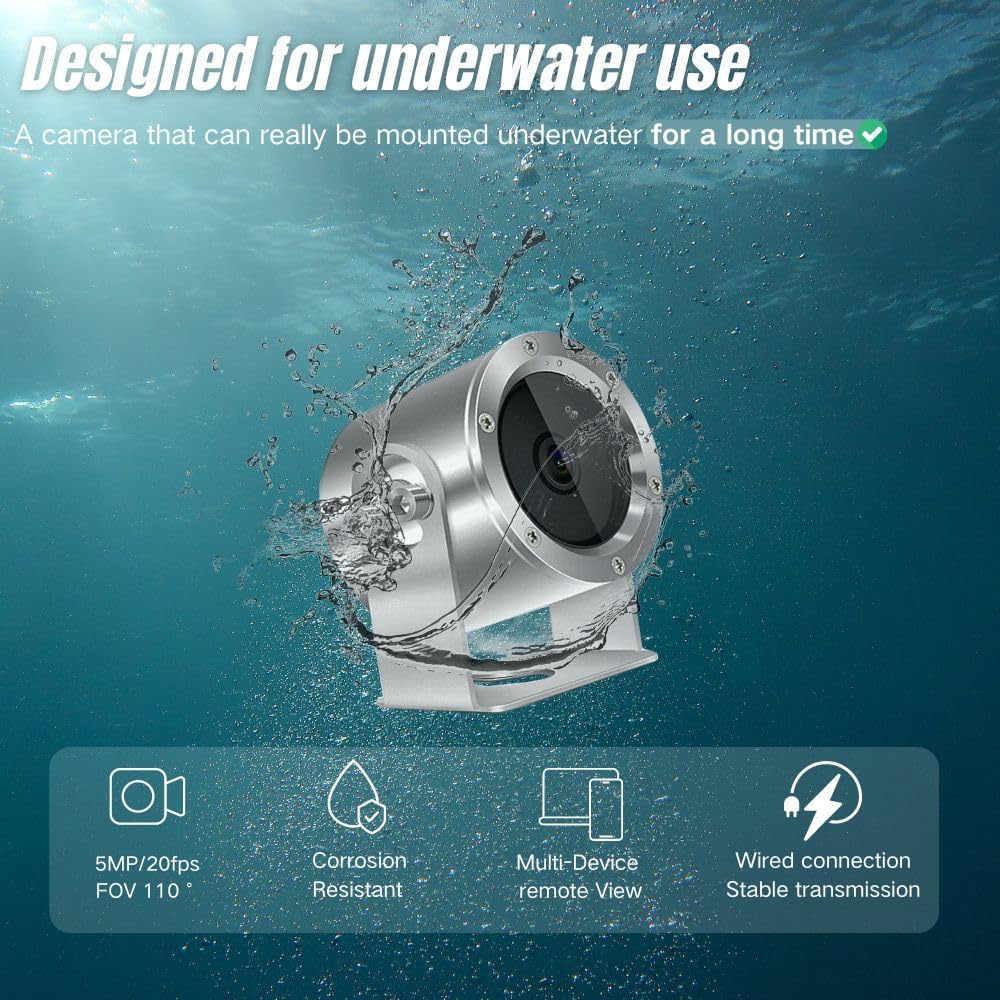
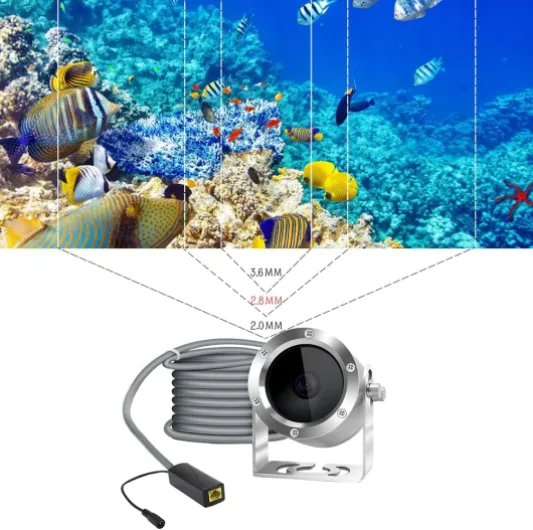
Physically, the camera is a small metal cylinder with a glass front, attached permanently to a roughly 10 m / 32 ft cable. The housing feels solid and has some weight to it, which I actually liked because it doesn’t float around or move with every small current. I ended up placing it on a flat stone in the pond and it stayed put without needing extra weights. In my indoor tank, I had to get a bit creative and wedge it between decorations, because there’s no suction cup or mounting bracket in the box, at least not in mine.
The 32 ft cable is honestly one of the strong points. It’s thick enough that it feels durable, but not so stiff that it’s impossible to route. I ran it from the pond, through a window, to my router area inside. No obvious kinks or scary bending points. If you’re using it in an aquarium next to your desk, it’s overkill in length, but better too long than too short. The downside is cable management: you end up with a coil of cable you need to hide somewhere to avoid a mess.
Connectors and overall finish look basic but okay. It’s not pretty, but I don’t care how a camera looks once it’s underwater. There’s no onboard control, no buttons, no display, so you just plug it into your network/POE setup and handle everything from the app or PC. There’s also no protective cage or shield around the lens, so if you’re planning to drop it into rough environments (construction sites, rocky wells, etc.), I’d probably add some DIY protection. For ponds and tanks, it’s fine as is.
In short, the design is functional, not stylish. It feels like something made for industrial use that got repurposed for hobbyists. As long as you’re okay with that and don’t expect sleek consumer‑electronics vibes, it gets the job done. I would have liked a simple mounting accessory in the box and maybe some clearer markings on the housing, but for the price, the core design is acceptable.
Packaging and what you actually get in the box
The packaging is nothing fancy. It’s a basic box with the camera, the long cable attached, and the necessary power/network bits depending on the version you buy (mine came with a simple POE splitter style setup). There’s a small manual that tries to explain the connection and app installation, but the instructions are not very clear. One of the Amazon reviewers called the installation guidelines counterintuitive, and I agree. The translation is rough, and some steps assume you already know how IP cameras work.
There are no real extras in the box: no mounting bracket, no suction cups, no cleaning cloth for the lens. You basically get the bare minimum to make it function. That’s fine if you like to DIY your own mounting solutions, but if you expected a ready‑to‑go kit for an aquarium or pond, you might be a bit surprised. I ended up using some zip ties and a rock to position it properly, which works, but it’s not exactly polished.
The QR codes and links for the app are also not very reassuring. They push you towards downloading the vendor app and, in some cases, extra Chinese software if you try to access through a browser. Personally, I’m cautious with that kind of thing. I installed the app on a spare phone, tested it, and then quickly moved to a PC‑based solution. One reviewer even mentioned getting viruses, which I can’t directly confirm, but I can say the app asked for more permissions than I was comfortable with for a simple camera viewer.
Overall, packaging and included materials are functional but bare‑bones. You get what you need to technically make it work, but don’t expect a nice unboxing experience or crystal‑clear quick‑start guides. If you’re okay improvising mounts and spending some time figuring out the software, it’s fine. If you like tidy kits with clear step‑by‑step instructions, you’ll probably be annoyed right from the start.
Feels tough enough, but long‑term will depend on your setup
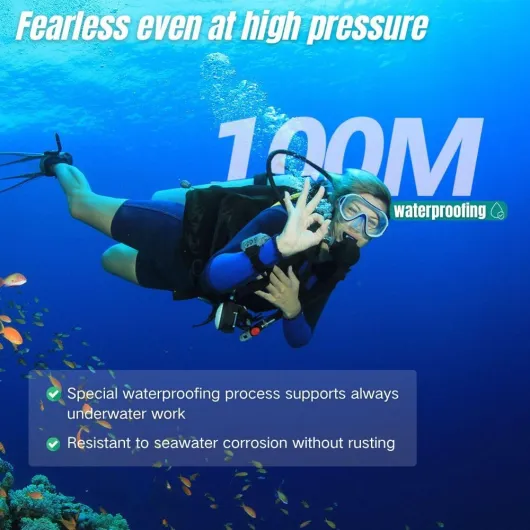
Durability was one of my main concerns because once you sink a camera in a pond, you don’t want to fish it out every week for repairs. After a couple of weeks in water, the housing still looked fine: no rust spots, no weird residue on the lens, and the cable jacket seemed unchanged. The weight of the camera and the metal feel give a bit of confidence that it’s not going to crack at the first knock. I bumped it a few times with a net and a rock while repositioning it and nothing broke or loosened.
The cable is the big question mark long term. It’s fairly thick and seems robust, but if you constantly bend it sharply at the same spot (for example at the pond edge or window), you might have issues after months or years. That’s not specific to this brand; it’s just how cables behave. I’d recommend securing it with some tape or clips to avoid stress at the entry point. Also, make sure the connector part that stays outside is protected from rain and direct sun, especially if you live somewhere with harsh weather. The camera itself is waterproof, but that doesn’t automatically mean the external connection likes being soaked.
The brand claims a one‑year commitment for quality issues, which is better than nothing, but I haven’t had to deal with their customer service directly beyond some basic questions. One reviewer mentioned the company was very responsive and helped a lot with setup, which is encouraging. Another had a very negative experience with the app and reliability, mentioning frequent reboots and black‑and‑white image issues. So it’s a bit of a lottery: the hardware feels solid, but the firmware/software side might need occasional resets to stay stable.
Overall, if you treat it like a semi‑permanent installation and don’t abuse the cable, I think it will hold up fine for hobby use. I wouldn’t bury the cable in concrete or leave connectors lying in puddles, but for a normal pond or aquarium installation with some basic care, the durability seems acceptable for the price range. Just don’t expect industrial‑grade guarantees or five‑year endurance under harsh conditions.
Image quality: good once set up, but picky about light
Let’s talk about what you actually see on screen, because that’s the whole point. When the camera is in a well‑lit aquarium or a clear pond on a sunny day, the image is pretty solid for a 5 MP IP cam. Colours are decent, you can clearly see fish details, and the 110° angle gives you a nice wide shot. It’s not cinema quality, but for checking fish behaviour or casually live streaming to friends, it’s more than enough. Out of water, the image is even sharper, which matches what one reviewer said: it looks great both underwater and above water.
Where it struggles is low light and murky water. Since there are no LEDs, the camera just relies on whatever light is available. In my pond, when the sun went behind clouds or in late afternoon, the feed started to look washed out and sometimes almost black‑and‑white. One Amazon reviewer even mentioned the image going black and white if you don’t reboot often. I saw something similar: after a while, colours sometimes shifted or flattened until I restarted the stream or power‑cycled the camera. It’s not unusable, but it’s not very polished either.
Streaming stability was mixed. On my wired network to a PC, it was mostly stable, with some occasional hiccups. On the mobile app over Wi‑Fi, I had random freezes and lag, especially when I tried to access the stream from outside my home network. It’s clearly not as smooth as modern branded security cams. There’s audio too, but underwater it’s mostly muffled background noise, nothing very useful unless you’re specifically interested in that.
Overall, I’d say performance is decent but not flawless. If you give it good lighting and a stable network, it rewards you with a clear and enjoyable view. If your pond is dark, your Wi‑Fi is weak, or you expect perfect 24/7 streaming with zero drops, you’ll be annoyed. For casual fish watching and occasional live streams, it’s fine. For critical monitoring or professional use, I’d look at higher‑end gear or at least combine this with better software and a solid wired setup.
What this camera actually is (and what it isn’t)
On paper, the Barlus underwater camera is a 5 MP IP camera in a waterproof housing with a 32 ft (about 10 m) cable. It’s meant for ponds, aquariums, basic underwater inspection, or even simple fishing setups. The brand sells it as a live‑streaming camera that you can watch on your phone or over the internet. There’s no internal battery, no screen on the device itself, and no built‑in lights. It’s basically a small wired security cam that happens to be waterproof and tuned for underwater focus.
The spec sheet mentions 2592×1520 video, 5 MP sensor, 110° field of view, fixed focus, digital image stabilisation, and audio recording. In practice, the field of view feels pretty wide, more than enough to cover a good chunk of a medium aquarium or a decent area in a small pond. The fixed focus is set around a couple of meters, but in my use, anything roughly from 30–40 cm out to a few meters looked usable. Don’t expect macro shots of shrimp noses stuck on the glass, but for general fish watching it’s fine.
One important detail: there’s no built‑in light. The product page even sells that as a benefit (“no lights so you don’t stress the fish”). That’s true, but it also means if your pond is shaded or murky, the image will be dull or just dark. In my clear indoor tank with decent room lighting, the colours were pretty good. In the outdoor pond, during cloudy evenings, it looked flat and sometimes almost monochrome. You’ll need either good daylight or some external lighting if you want a consistent view.
Overall, think of this as a wired network camera in a waterproof shell rather than a GoPro‑style action cam. No SD card slot, no onboard recording, no fancy buttons. Everything goes over the network. If you’re comfortable with that kind of product, the specs make sense. If you were hoping for a simple USB plug‑and‑play webcam you just dunk in water, this isn’t that, and you’ll probably be frustrated by the setup and the app expectations.
Does it actually work for ponds and aquariums?
From a practical point of view, the camera does what it says once you’ve wrestled with the setup. I left it running in my pond for several days in a row, and the housing stayed watertight, no fogging on the lens, no visible water intrusion. That’s already better than some cheap “waterproof” gadgets I’ve tried before. I could check on the fish from my phone or PC, see if they were active, notice when they were feeding at the bottom, and generally keep an eye on them without leaning over the pond every time.
For live streaming, it’s usable but not exactly polished. The idea of streaming straight to a mobile app is nice, but the execution is rough. The app crashed on me a few times, and there’s a delay in the stream that varies depending on your network. It’s fine to show friends your koi or goldfish, but if you want a smooth, public live stream on YouTube or Twitch, you’ll almost certainly want to plug it into a PC and use proper software like OBS combined with something like Netcam Studio or another IP camera manager, as one Amazon reviewer suggested.
As a monitoring tool, it’s actually quite handy. I used it to check how much debris was accumulating at the bottom of the pond and to see if the fish were pecking at a specific area. That kind of use is where the camera shines: leave it in place, peek in whenever you want, don’t worry about battery or charging. It’s also useful for checking underwater structures or pipes in a basic way, as long as they’re within the focus range and the water is not too murky.
So in terms of effectiveness: for hobby pond owners, aquarium people, and anyone curious about what’s going on underwater, it gets the job done. It’s not perfect, but it’s functional. If your goal is professional‑level streaming or rock‑solid 24/7 surveillance with smart features, this is more of a budget tool than a full solution. But for just “I want to see my fish under the surface whenever I feel like it”, it works, provided you accept the software quirks.
Pros
- Solid waterproof housing with a long 32 ft cable, suitable for ponds and aquariums
- Good image quality in clear, well‑lit water with a wide 110° field of view
- Can run continuously as an IP camera and integrate with third‑party software for more reliable viewing and streaming
Cons
- Official app and setup process are confusing, buggy, and not beginner‑friendly
- No built‑in lighting, so performance drops a lot in low‑light or murky water
- Limited mounting options and bare‑bones packaging mean you need to DIY your installation
Conclusion
Editor's rating
After a couple of weeks using the Barlus underwater camera in a pond and an aquarium, my take is pretty simple: the hardware is decent, the software is the weak link. The camera itself feels solid, stays waterproof, and delivers a clear enough image when there’s good light. The 32 ft cable gives you plenty of flexibility for placement, and once you finally get a stable viewing setup, it’s genuinely fun and useful to be able to watch your fish or check what’s happening underwater at any time.
Where it falls short is in user‑friendliness. The official app is clunky, the instructions are confusing, and you may need to rely on third‑party tools to really get the most out of it. If you’re not comfortable tinkering with IP camera settings or trying different software, you might end up frustrated, like some of the 1‑star reviewers. If you are okay with that kind of tinkering and you mainly care about a budget‑friendly underwater IP cam that you can integrate into your own setup, then it’s a pretty solid option for the price.
So who is it for? Hobby pond and aquarium owners who are at least moderately tech‑savvy and don’t mind spending an evening configuring things. Who should skip it? Anyone wanting a plug‑and‑play, polished experience with a clean mobile app and zero hassle. For me, it lands around a 3.5–4 out of 5: not perfect, but it gets the job done once you’ve pushed through the annoying parts.